
Disclaimer: All our reviews are written by musicians and audio enthusiasts who genuinely care about helping you make the right choice. We earn a commission when you buy through our Amazon links, at no extra cost to you.
Last updated:
October 5, 2024
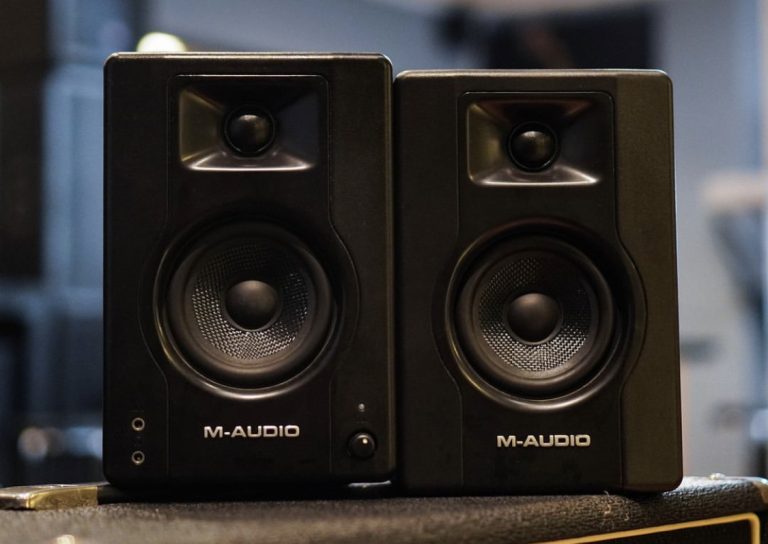

If you’re a DJ or producer looking for budget-friendly studio monitors, the M-Audio BX3 is a great option. They’re small but pack solid sound, making them perfect for tight spaces. You’ll get clear, balanced audio that works well for mixing and producing. However, there are a couple of downsides—there’s a small delay when turning them on, and you might get some interference depending on your setup. Still, for the price, they’re a solid pick, especially if you’re just starting out or need a compact, reliable pair for your studio or on the go.
[amazon fields="B08KXVYGSF" value="price"]
If you’re a home studio enthusiast, gamer, or casual listener needing a compact audio solution, the M-Audio BX3 studio monitors are worth considering. They’re particularly great for those with limited desk space who don’t want to compromise on sound quality. These monitors provide a solid balance of performance and value, making them an attractive option for anyone looking to upgrade from standard computer speakers without breaking the bank.
Sound Quality: The BX3 monitors boast a well-balanced sound profile, offering clear highs and defined lows. The Kevlar drivers and silk dome tweeters do an impressive job for such compact speakers. Whether you’re mixing tracks or just enjoying your favorite tunes, the sound clarity is a pleasant surprise.
Customizability: One of the standout features is the High & Low EQ controls. These allow you to tweak the sound to your personal preference or adapt to the room’s acoustics. It’s like having a mini sound engineer at your fingertips, letting you get the most out of your audio experience.
Versatile Connectivity: With multiple input options like RCA, 1/4”, and 1/8”, these monitors are ready to connect to just about any device you can think of. Whether it’s your computer, tablet, or even a mobile device, the BX3s are eager to play nice with others.
Compact Design: Weighing in at just 8 lbs and with a small footprint, these monitors are perfect for tight spaces. They fit snugly on a desktop, making them ideal for home studios or even mobile DJ setups. Portability without sacrificing sound quality is a major win here.
Durability and Build: The MDF cabinet construction not only looks sleek but also contributes to the overall durability of the monitors. They’re built to last, ensuring that your investment will continue to bring you joy for years to come.
The M-Audio BX3 studio monitors present a compelling option for those seeking quality sound in a compact and affordable package. They’re particularly well-suited for home studios, gamers, and casual listeners. However, if the delayed power-on and interference issues are deal-breakers for you, it might be worth exploring alternatives like the Audioengine A2+ or JBL models. Overall, if you can overlook these minor quirks, the BX3s offer excellent value for money and are a solid choice for entry-level monitors.
M-Audio BX3 Alternatives


M-Audio BX3